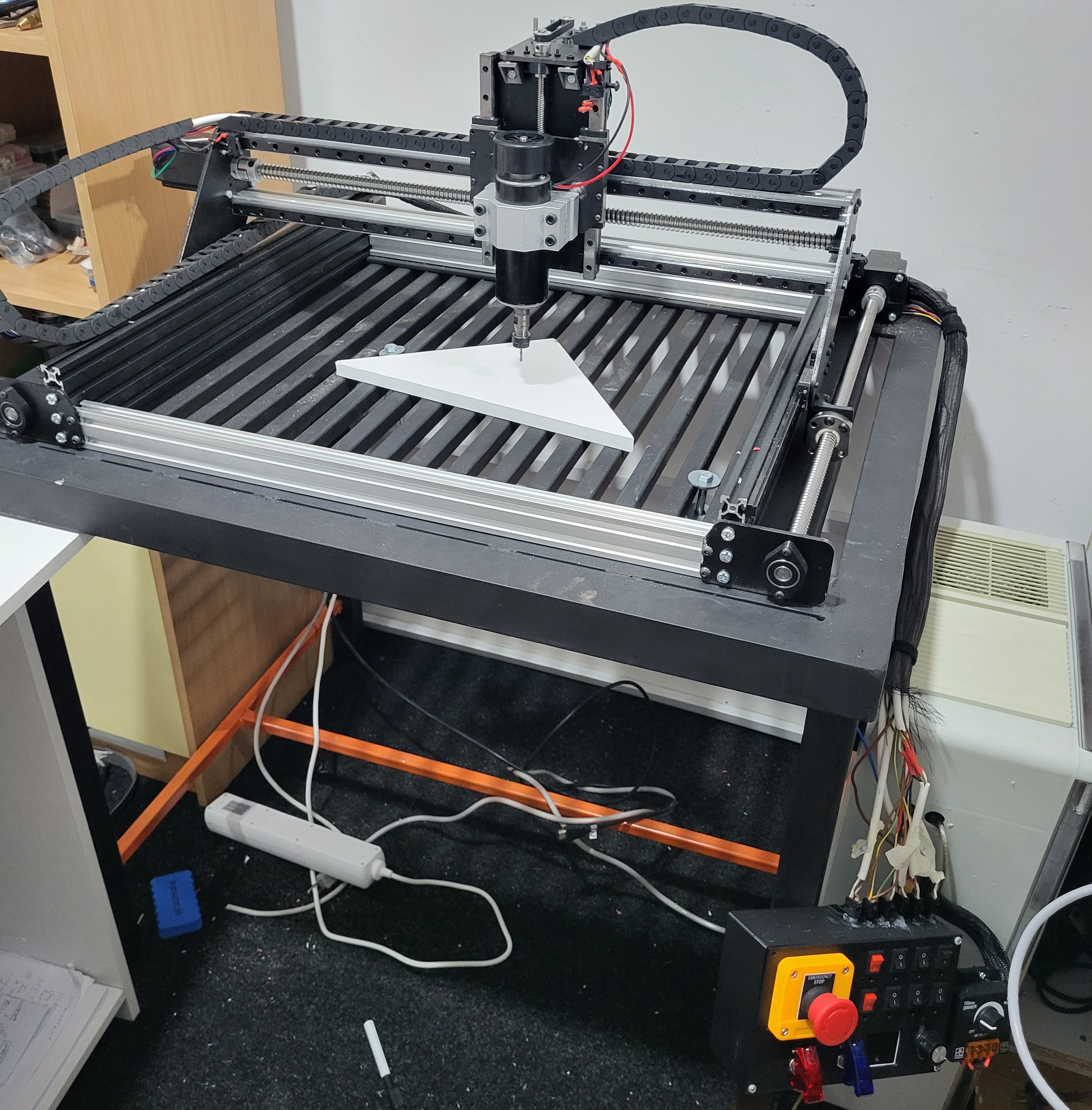
The goal was to build a reliable, hobby-grade CNC router that could handle wood, plastics, and light aluminum work. Instead of buying a kit, I assembled everything from separate mechanical and electrical parts: frame, motion system, power electronics, and control. The result is a full-metal 3-axis machine with a 600 × 400 × 100 mm work area and repeatable positioning around 0.1 mm.
Custom 3-Axis CNC Router
CNCmechanicalelectronicsArduino
🖼️1 / 3
Project Overview
After getting a 3D printer and starting to make my own enclosures, the quality and presentation of my projects went up a lot and opened up a bunch of new ideas. The next step for me was a machine that could work with wood and aluminum, and maybe even let me experiment with making my own PCBs. I know there are cheap PCB services online, but I wanted to learn by building my own setup and still have something practical to use. I tried to keep the CNC build as affordable as possible without chasing high-end parts, and focused on getting a solid, useful machine rather than a perfect one. After a lot of searching online, I finally found a design that was a good inspiration and adapted it to my needs
Version:v1.0
Time:~80.0 hours
Cost:~500
Status:complete
Materials
- NEMA 23 stepper motors × 4
- DM542-class stepper drivers × 4
- MKS DLC32 v2.1 controller board × 1
- 36 V SMPS for motion × 1
- 24 V SMPS for auxiliaries × 1
- DC-DC buck converters (24 V → 12 V / 5 V) × 2
- Arduino Nano (ATmega328P) × 1
- 4-channel relay board (Songle-style) × 1
- 500 W DC spindle + controller PSU × 1
- Ferrite chokes for motor and signal lines × 10
- Aluminum extrusions & MGN12 linear rails × 1
Tools
- Multimeter
- Soldering station
- Wire strippers and crimpers
- Allen keys and wrenches
- Drill and basic hand tools
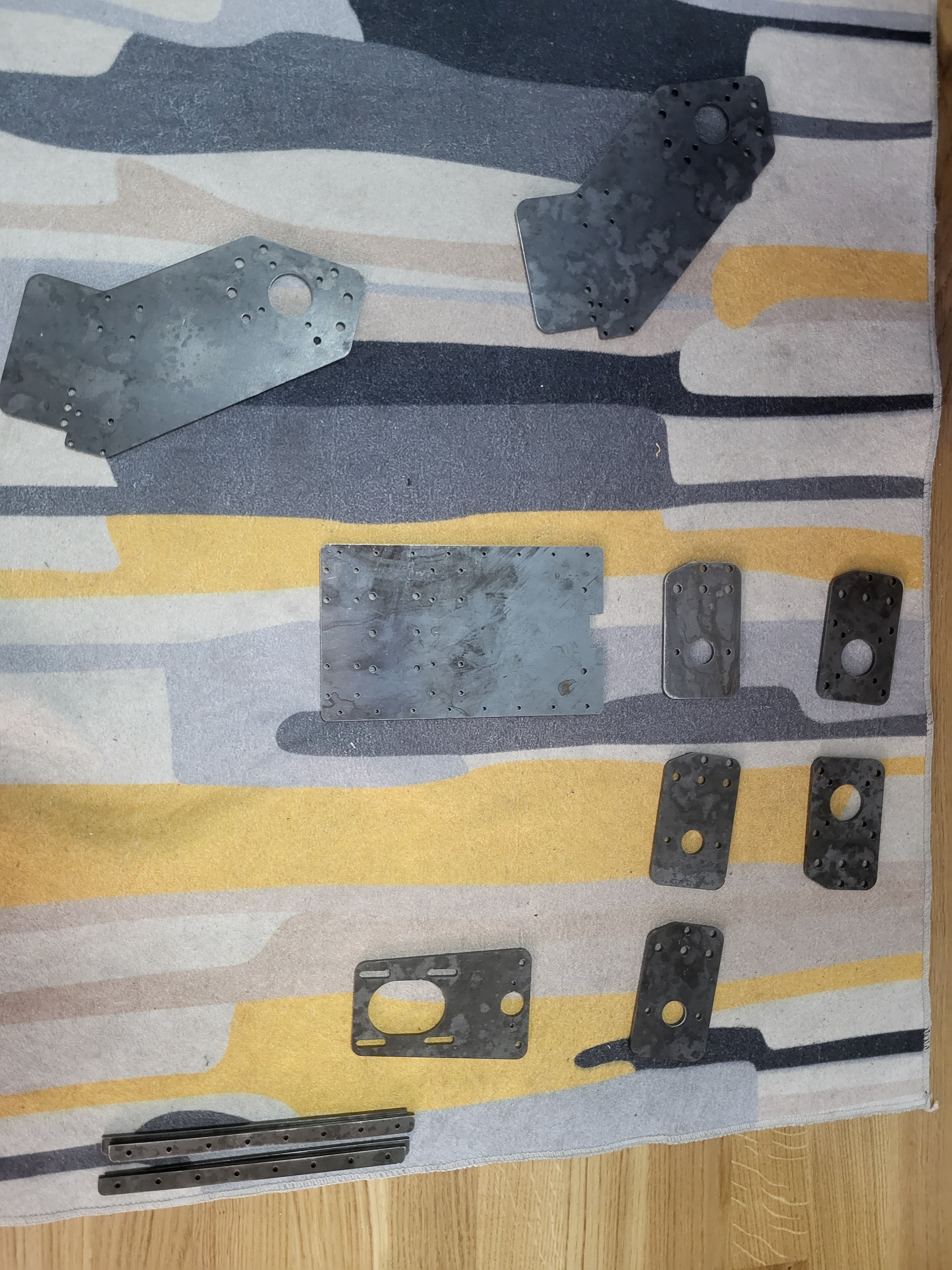
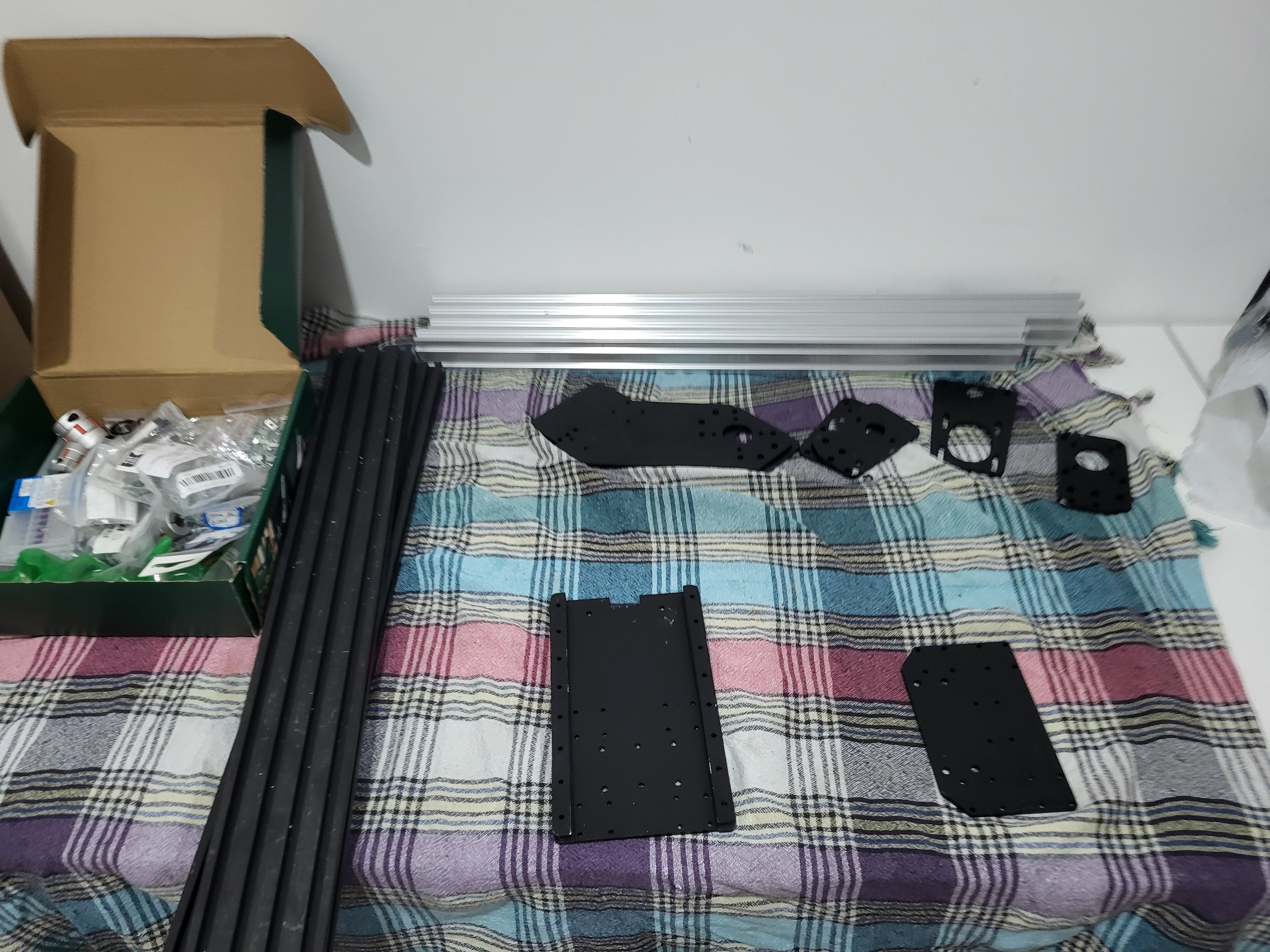
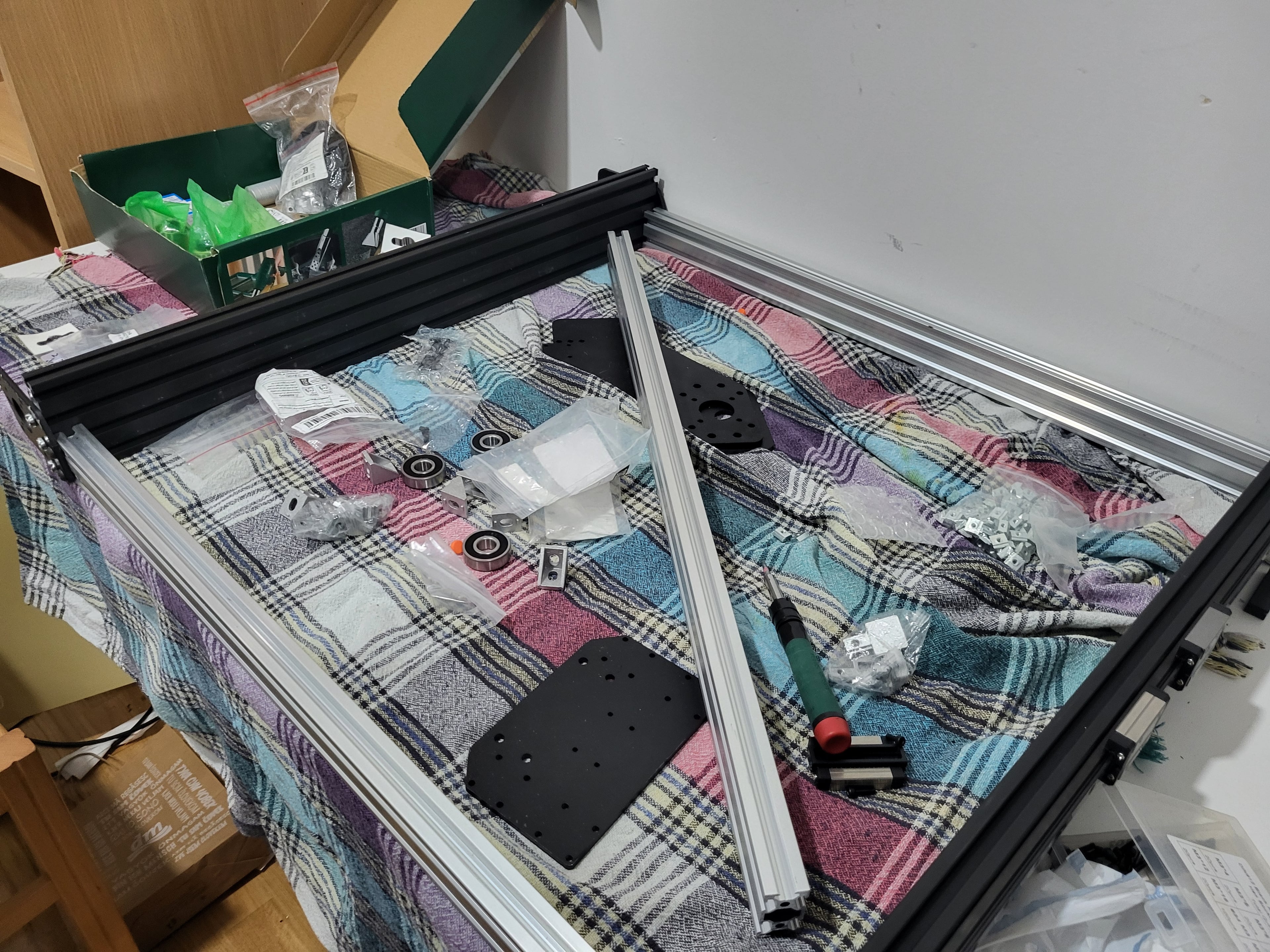
The machine follows a fairly typical DIY CNC layout: aluminum extrusion frame, linear rails on all three axes, and screw-driven motion. Nothing fancy, just parts that are easy to source and strong enough for a roughly 600 × 400 mm work area.
2.1
Frame & Structure
The main frame is built from aluminum profiles and basic M5 hardware:
- Profiles: 2 × 20×40 mm at 600 mm, 2 × 20×40 mm at 666 mm, 2 × 20×80 mm at 600 mm
- Connectors: simple corner connectors to tie the frame together
- Main fasteners: about 24 × M5×20 mm, 6 × M5×16 mm, 28 × M5×12 mm screws
- Nuts and T-nuts: around 20 × M5 T-nuts and 24 × M5 nuts for mounting plates and rails
The goal here wasn’t to create a perfect, overbuilt frame, just something square and stiff enough that it doesn’t twist easily during cuts. Most of the effort went into measuring, squaring, and tightening things in a sensible order so the frame stays flat.
2.2
Motion System
The motion system combines linear rails, ball screws, and a few belts and bearings:
- Linear rails: 6 × MGN12 rails (2 × 600 mm, 2 × 650 mm, 2 × 200 mm)
- Rail blocks: 12 × MGN12H blocks spread across X, Y, and Z
- Drive screws: 1 × 220 mm trapezoidal lead screw (Z axis), 1 × SFU1605 ball screw at 650 mm, 2 × SFU1605 ball screws at 600 mm
- Bearings: 3 × 6000RS, 6 × 6201RS, 1 × 608RS to support the screws and shafts
- Couplers: 3 × 8–10 mm couplers between motors and screws
- Belt drive: 1 × 200 mm closed GT2 belt with 2 × GT2 pulleys where a belt makes more sense than a direct coupling
Once everything is aligned and tightened, the gantry moves smoothly and doesn't feel loose, which is all I was aiming for.
2.3
Spindle & Mount
The cutting end of the machine is handled by a small CNC spindle and a simple mount on the Z axis:
- Spindle: 1 × CNC spindle in the 500 W range (typical ER11-style unit)
- Accessories: basic collet set and wrenches for tool changes
Mechanically, the important part is that the mount is tight and doesn't flex, and that the spindle sits low enough to reach the work area without the Z axis bottoming out. The electrical side of the spindle (power supply or inverter and control) is covered in the electronics section.
2.4
Fasteners & Small Hardware
Most of the smaller pieces are held together with a mix of standard metric screws and nuts:
- M3 screws: about 14 × M3×16 mm, 60 × M3×10 mm, 26 × M3×8 mm
- M3 hardware: a few standard M3 nuts and around 22 × M3 T-nuts for attaching parts to the profiles
- M5 hardware: the M5 screws, nuts, and T-nuts used for frame joints, rail mounts, and heavier brackets
- M6 screws: roughly 20 × M6×12 mm for spots that need a bit more strength
- Locking parts: 3 × trapezoidal lead screw lock collars and 3 × M12×1 fine-thread nuts to keep the screws in place
It’s basically a small pile of M3, M5, and M6 hardware. Having enough of each size and keeping them sorted made the mechanical build a lot less annoying.
2.5
Future Hardware Upgrades
Coming SoonThe next step on the hardware side is better chip and dust management. Right now the machine runs open, which is fine for quick tests but not ideal for longer jobs. I plan to add a proper dust shoe around the spindle and a small vacuum system with a cyclone separator and bin under the table, so most of the chips stay out of the shop vac filter. The vacuum would be switched from the control box, either through another relay channel or a dedicated contactor.
If I start cutting more steel or harder materials, a basic mist or oil-cooling setup is also on the list. The idea is a small coolant reservoir with a solenoid valve and a flexible nozzle, controlled from the same auxiliary rail as the fans and lights. That would keep tool temperatures under control on heavier cuts without turning the whole machine into a full flood-cooling project.
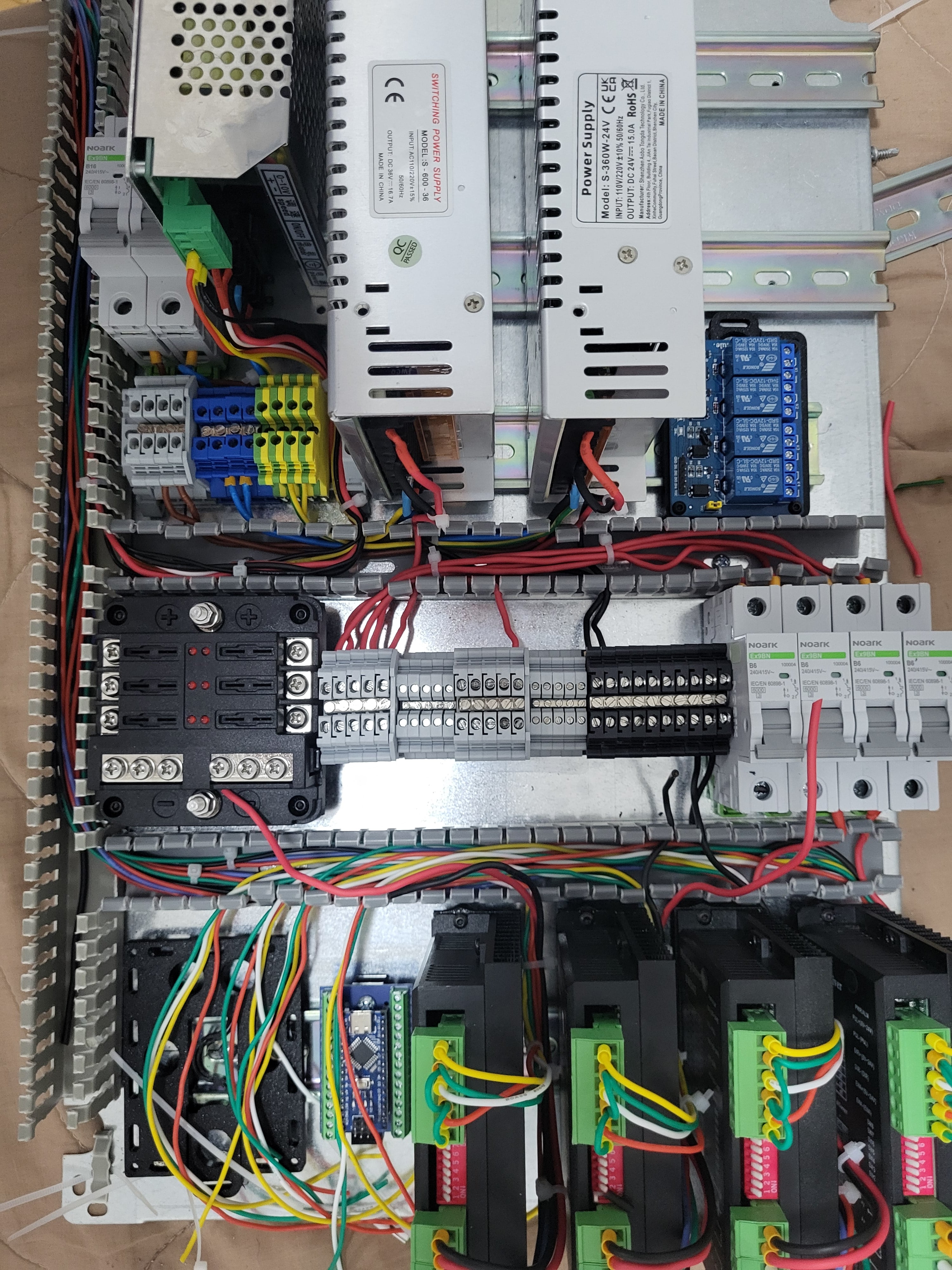
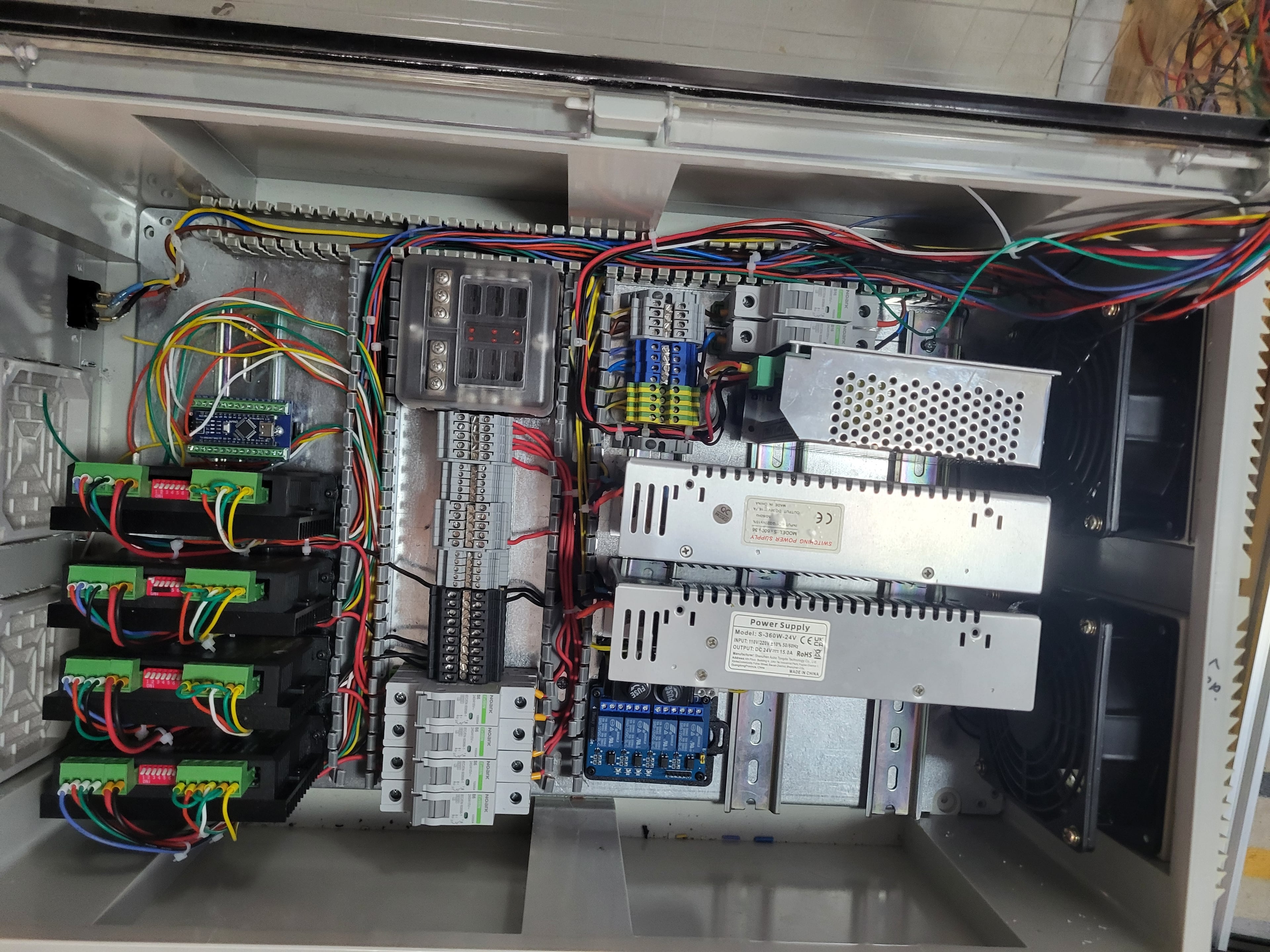
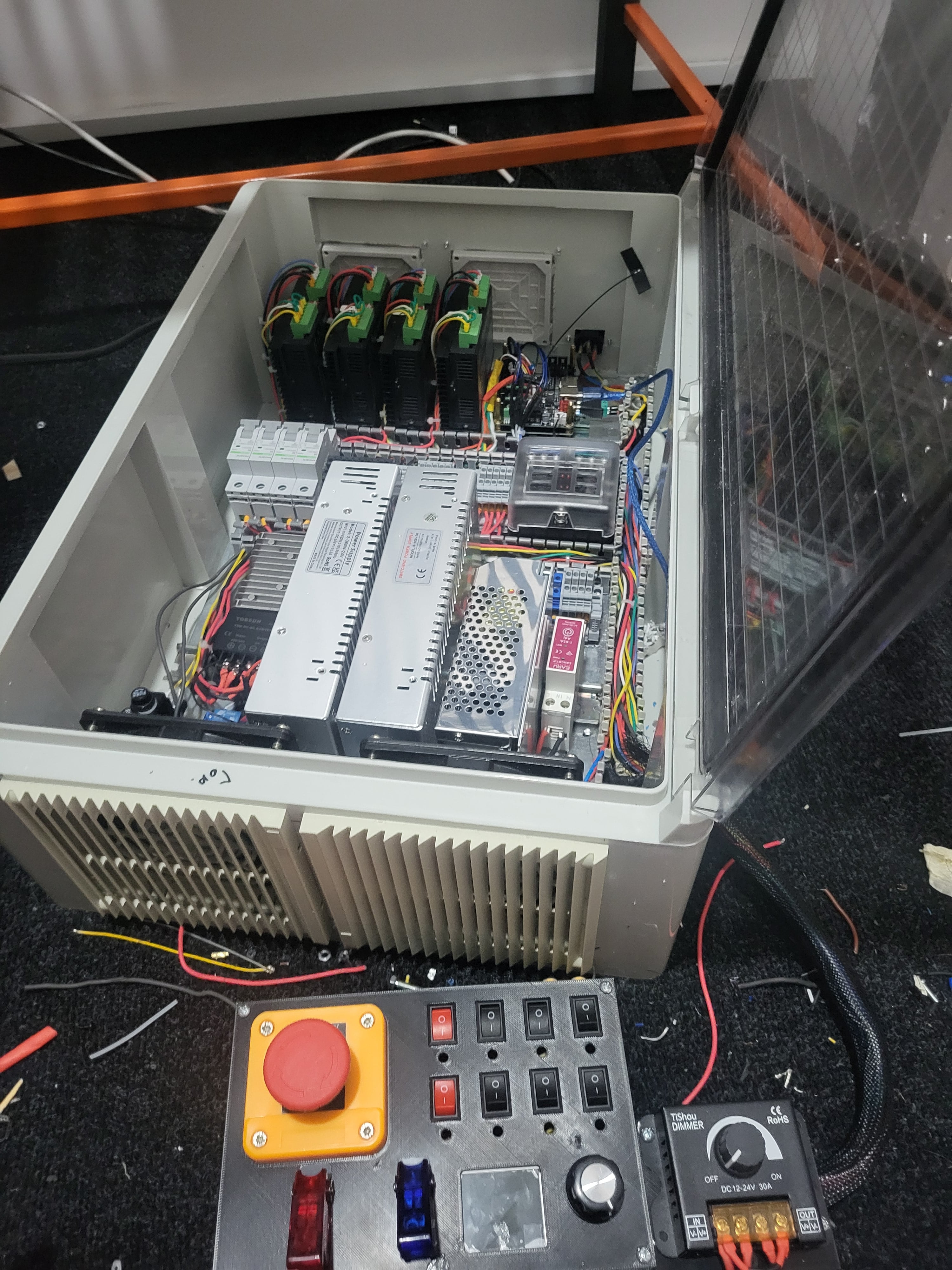
Electrically, the machine is split into three main blocks: power distribution, motion control, and auxiliary control. This keeps the high-current rails, stepper drivers, and low-voltage logic separated enough that faults and noise are easier to track down.
3.1
Power Distribution
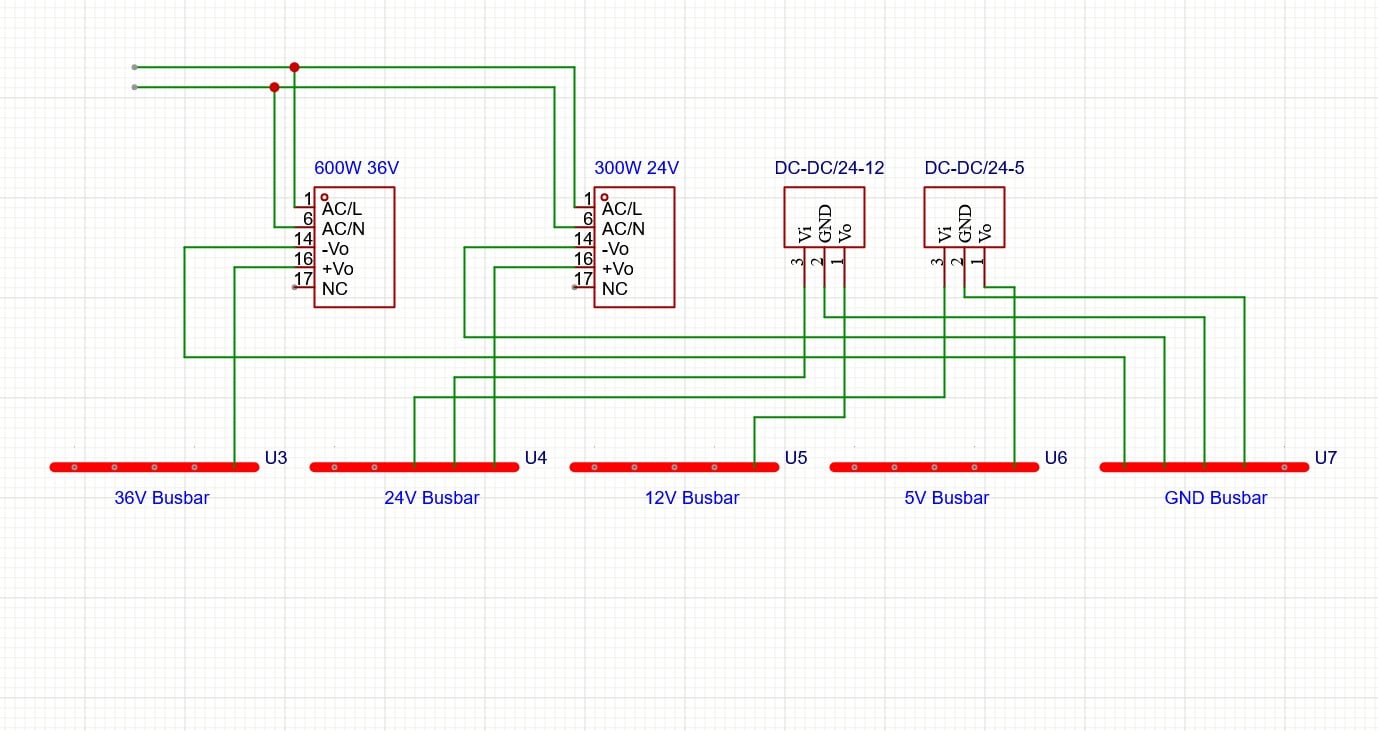
The motion system runs from a 36 V SMPS that feeds four DM542-class stepper drivers, one for each NEMA 23 motor (X, Z, and the two Y motors). A second supply provides a 24 V rail for relay coils, fans, and lighting. From there, compact buck converters generate 12 V and 5 V rails for the Arduino, display, and other low-power electronics. High-current motor wiring is bundled separately from the low-voltage harness, and everything ties back to a single star ground point in the main distribution box.
The spindle uses a separate 500 W DC speed-controller PSU (AC 110–220 V in, 0–100 V DC out, 0–10 V control input). Keeping the spindle on its own supply prevents its load spikes from disturbing the 36 V motion rail and makes it easy to service the spindle chain independently.
3.2
Motion Control
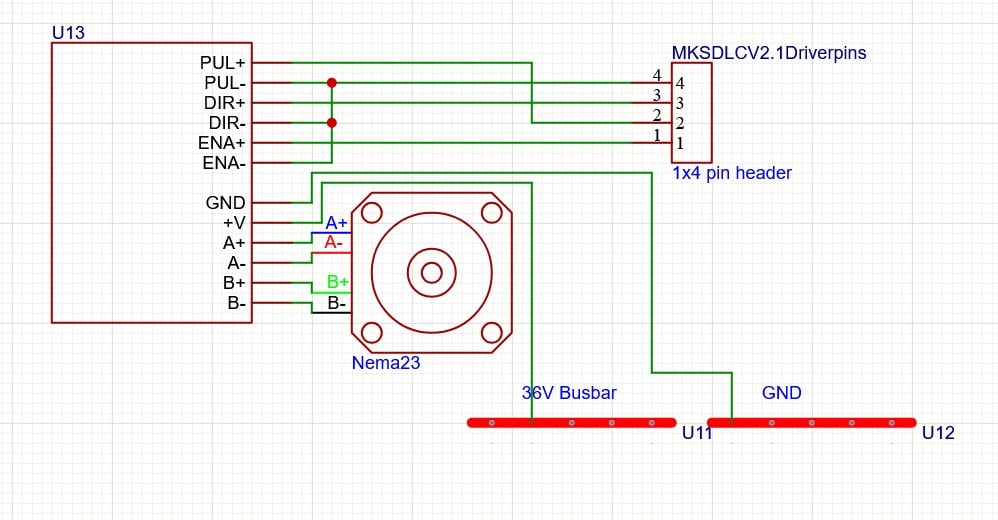
Axis motion is handled by a dedicated CNC controller board (MKS DLC32 v2.1), which generates step, direction, and enable signals for the external drivers. Each axis uses the same wiring pattern: STEP, DIR, and ENA lines from the DLC32 go into the PUL, DIR, and ENA inputs on a DM542 driver, and the driver outputs feed a NEMA 23 stepper wired in bipolar configuration.
Signal lines between the controller and drivers use short, twisted pairs with a shared reference ground, while the motor outputs run in their own heavier-gauge cables. The emergency stop sits upstream of the 36 V supply, so dropping the E-stop immediately removes power from all drivers while leaving the low-voltage control electronics powered if needed for diagnostics.
3.3
Auxiliary Control & UI
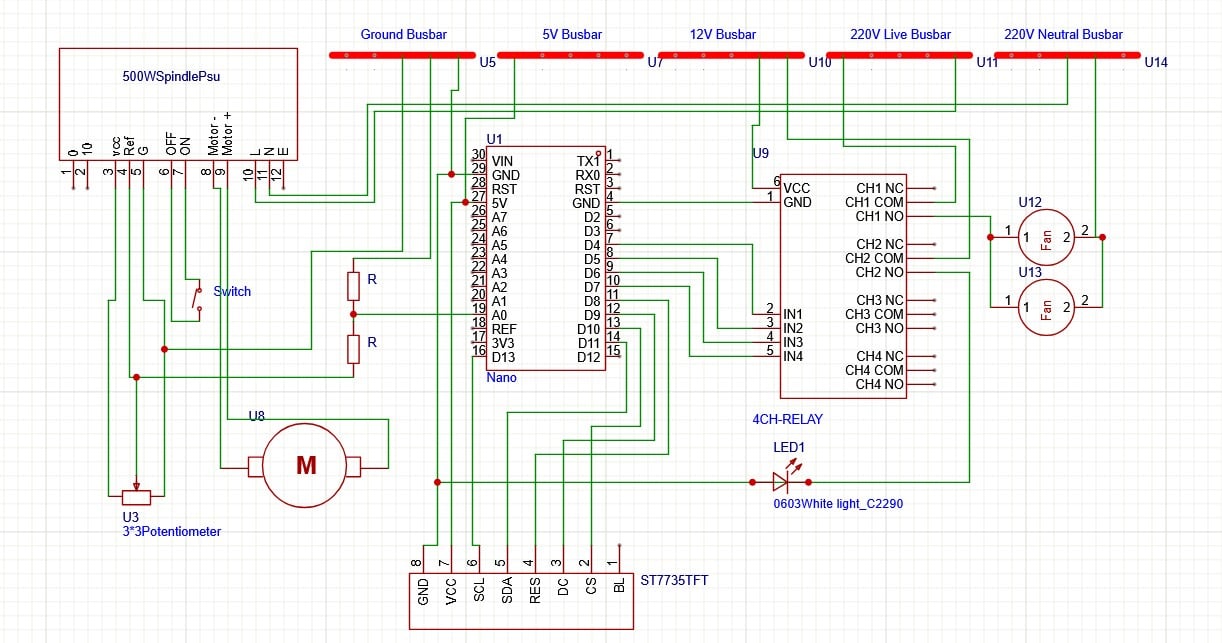
Auxiliaries such as cooling fans and work-area lighting are handled in a separate control layer. An Arduino Nano (ATmega328P) sits in the control box and drives a 4-channel relay module based on standard Songle relays. Four front-panel push buttons connect directly to the Nano using internal pull-ups; the firmware debounces them and latches the relay outputs so all auxiliaries power up in a known OFF state.
The spindle speed knob is a panel-mounted potentiometer tied to the spindle PSU's 0–10 V reference output. The Nano only measures this signal: it taps the knob via a simple 1:1 resistor divider and a small RC filter into A0, then maps the voltage to an estimated RPM. That value, along with basic auxiliary status, is shown on a 1.8" ST7735 SPI TFT, which is wired to the Nano over a standard SCK/MOSI/CS/DC/RST interface.
3.4
Future Software Control
Coming SoonThe spindle control path is left open for upgrades. One option is to add a PWM-to-0–10 V converter driven from a Nano PWM output, allowing the firmware to command spindle speed directly. Another is to use an I²C DAC such as the MCP4725 followed by an op-amp stage to generate a stable 0–10 V control voltage. In both cases the spindle PSU should only see one active source on its 0–10 V input at a time—either the front-panel potentiometer or the generated control signal—selected with a hardware switch or an analog switch stage.
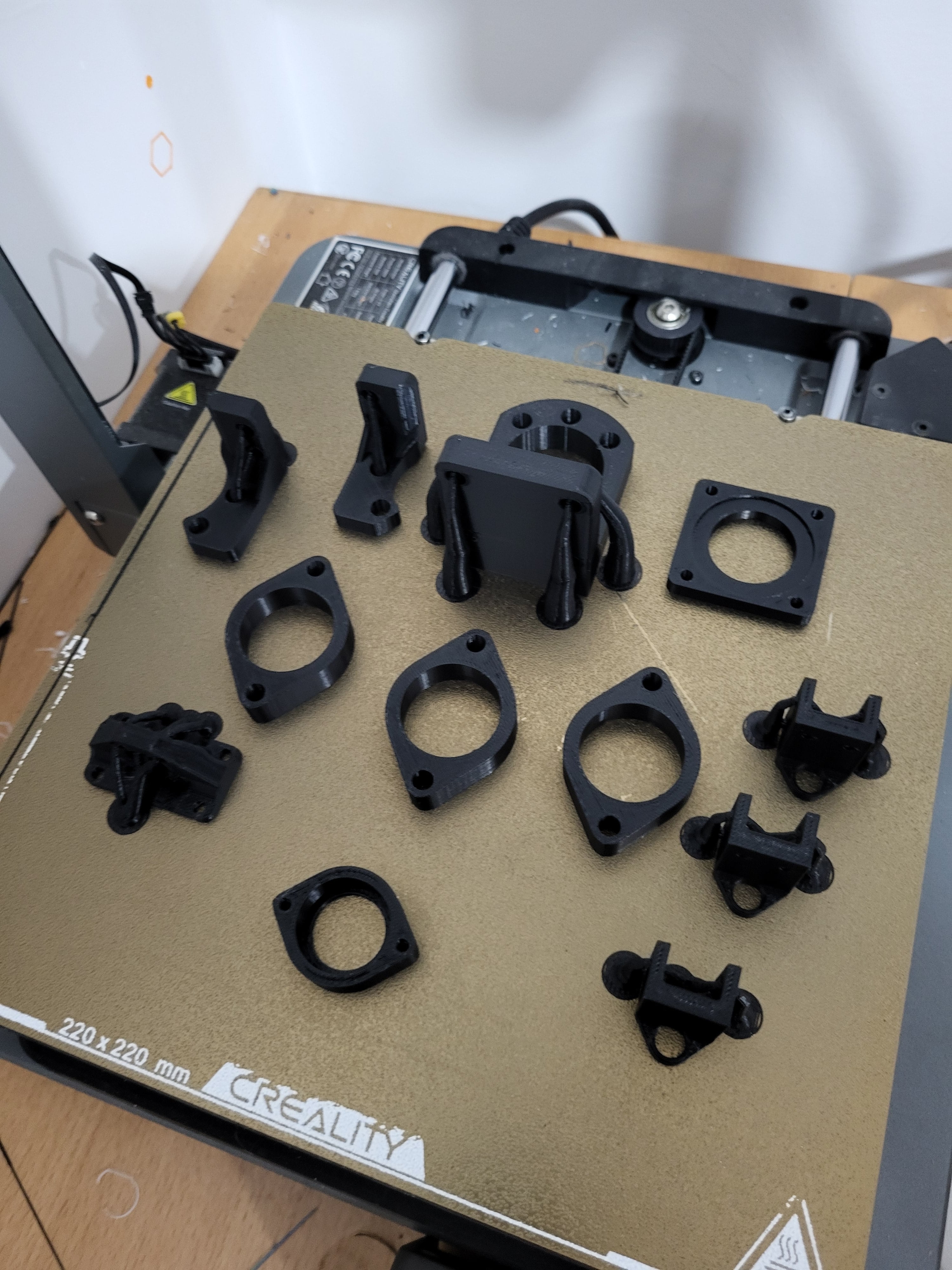
Besides the main mechanics, there are a lot of small extras that make the machine nicer to use. Most of them are 3D printed: cable clips that snap onto the extrusions, spindle clamps and spacers, dust shoe adapters, and simple tool holders for collets, wrenches, and the touch-off probe. They don't change the cutting performance, but they keep the wiring under control and stop small parts from living on the floor.
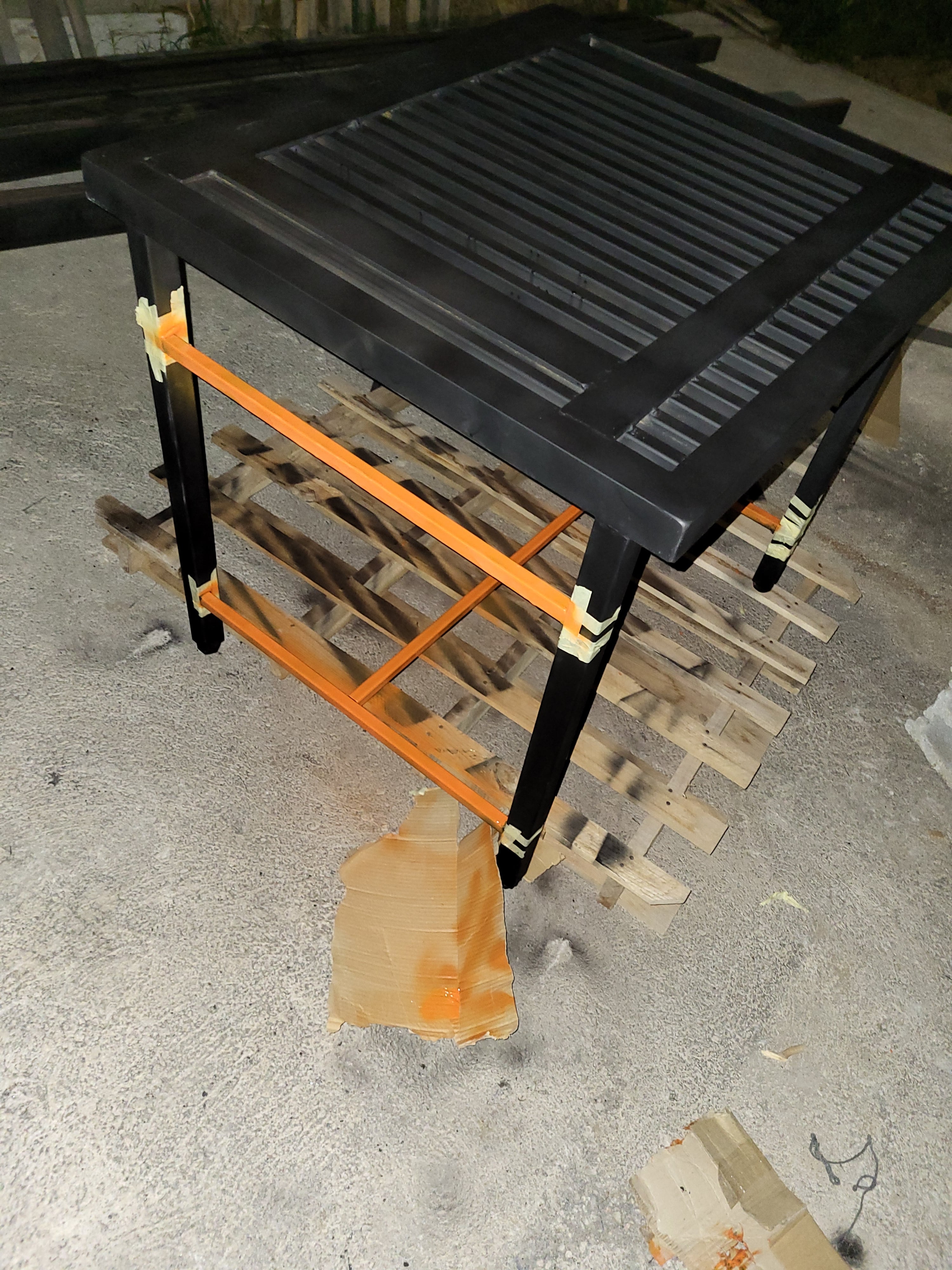
The machine sits on a table welded from scrap steel, with adjustable screws in the feet so the frame can be leveled even if the floor isn't. The table also has custom mounting points for the main power box and the control box, so everything hangs off the frame instead of floating loose on the bench.
The biggest lesson is that accuracy in this kind of build comes more from patience and tools than from any single part. Being able to cut metal cleanly and tap holes properly matters a lot; even small errors add up when there are dozens of brackets and fasteners in the stack. If you can, pre-order tapped aluminum profiles or machined plates—cutting my steel parts on a plasma and then tapping everything by hand worked, but it was definitely the slow path.
On the electrical side, it pays to assume you will always need more wire than you think. Leaving a bit of slack and being willing to re-route or shorten later is far better than trying to optimise every centimetre from the start. Using as many different wire colours as possible for different functions (power, signals, sensors, spindle, etc.) makes debugging much faster when you come back to the machine months later.
I originally considered using TB6600-style drivers, but switched to DM542-class drivers because they are quieter and run the NEMA 23s more smoothly. Combined with better grounding and some ferrite chokes, that reduced both audible noise and weird behaviour on long jobs. Overall, the build reinforced that good mechanics, sensible wiring, and noise control all have to be designed together from day one.
Most of the mechanical parts and a good chunk of the electronics came from online orders, with some hardware and cabling sourced locally when it made more sense. Fusion 360 was used for most of the CAD work: editing metal parts, laying out plates and brackets, and modeling the 3D printed parts. Simple enclosures and front panels were sketched using online STL box and panel generators.
The main design inspiration for the machine was the open-source IndyMill CNC router, which I adapted to my own work area, budget, and available parts. For control software I use gSender, and on the CAM side I experimented with several tools: Kiri:Moto, Estlcam, and OpenBuilds CAM all saw some use depending on the job.
For schematics and wiring planning I used EasyEDA, mostly as a way to block out power rails, connectors, and signal groups before committing to the actual wiring inside the control and power boxes.
Results
The CNC router comfortably runs multi-hour jobs with roughly 0.1 mm repeatability across a 600 × 400 × 100 mm work area. After cleaning up the wiring and adding ferrite chokes and star grounding, the machine behaves predictably, with no random step loss and spindle noise kept away from the control electronics.
- Positioning repeatability: 0.1 mm
- Work area: 600 × 400 × 100 mm
Safety Notes
The machine combines 230 V AC mains, a 36 V DC motion rail, and a high-speed spindle. Always disconnect mains before working inside the distribution box, use proper earthing, and keep loose clothing and hands away from moving parts. Eye and hearing protection are strongly recommended, and the emergency stop should always be within easy reach.